Recently Released for Architectural Desktop 2007/2009
  Furniture 7 eParts for Architectural Desktop 2007/2009
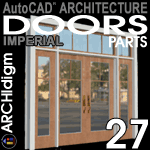
  Garage Doors 9 eParts for Architectural Desktop 2007/2009

In the Works for AutoCAD Architecture
   
   
Openings 9 eKit

BUY, GET YOUR CODES, ACCESS THE OSMOSIS WEBSITE AND GO - ALL IN A FEW MINUTES

  Need Parts?  Maybe we can build them - odin@archidigm.com
 

Content for AutoCAD Architecture

PARTS  

US$45.00
Street Ligths eParts
Read Before Purchase
See Palette
On Sale Now - Garage Doors 9 eParts for AutoCAD® Architecture 2007/2009
This .zip file contains one ADT '07 drawing file with several residential overhead garage doors.
  • Imperial Units Only - Residential Objects
  • 30+ Residential Garage Door Styles
  • Each Style is based on a custom Door/Window Assembly that you can modify.
  • File includes instructions for adding to your current library.
  • One Content Catalog for your Content Browser
  • Purchase provides you with a link to our download website and a password.

US$25.00
Street Ligths eParts
Read Before Purchase
On Sale Now - Street Lights 7 eParts for Architectural Desktop 2007/2009
This .zip file contains one ADT '07 drawing file with several commercial street light fixtures.  This collection compliments, but is not included, in the Streets 7 eKit.
  • Imperial Units Only - Commercial Objects
  • 6 fixture types, 4 with 3 variations each
  • Lights have been configured as MvBlocks and as Curtain Wall Styles for evenly spaced arrangements.
  • File includes instructions for adding to your current library.
  • Purchase provides you with a link to our download website and a password.

US$25.00
Cooking Appliances eParts
See one in 3D DWF
On Sale Now - Cooking Appliances 7 eParts for Architectural Desktop 2007/2009
This .zip file contains one ADT '07 drawing file with 36 cooking appliance styles; many of which have been created from highly customized Curtain Wall Styles that allow for a variety of reconfiguration options.  This collection is included in the Kitchen Cabinets 7 eKit.
  • Imperial Units Only - Residential Objects
  • 15 Ranges, 2 Electric Cooktops, 4 Gas Cooktops, 14 Ovens and 1 Outdoor Grill
  • Ranges are based on Curtain Wall Styles that can be reconfigured.
  • All Refrigerators come as MvBlocks with Property Data and Materials (Render Ready)
  • File includes instructions for adding to your current library.
  • Purchase provides you with a link to our download website and a password.

US$25.00
Refrigerators eParts
Examples
On Sale Now - Refrigerators 7 eParts for Architectural Desktop 2007/2009
This .zip file contains one ADT '07 drawing file with 30 refrigerator styles that have all been created from highly customized Curtain Wall Styles that allow for a variety of reconfiguration options.  This collection is included in the Kitchen Cabinets 7 eKit.
  • Imperial Units Only - Residential Objects
  • The entire Sub-Zero lineup.
  • Four reconfigurable generic models
  • All Refrigerators come as MvBlocks with Property Data and Materials (Render Ready)
  • File includes instructions for adding to your current library.
  • Purchase provides you with a link to our download website and a password.

US$45.00
Furniture eParts
Read Before Purchase
See Palette
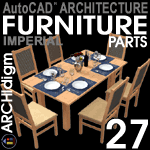
On Sale Now - Furniture 7 eParts for Architectural Desktop 2007/2009
This .zip file contains one ADT '07 drawing file with 81 Multi-View Blocks and 19 Adjustable Objects (custom Curtain Wall Styles) created from Mass Elements preset with Material Assignments for Render-ready use.  All MvBlocks come with AecPolygon Masks in Plan View so you can cover other linework; i.e., move chairs under tables, for example.
  • Imperial Units Only - Residential Objects
  • MvBlocks of Chairs, Stools, Couches, Tables, Beds, Cabinets and more.
  • Adjustable (Parametric): 3 Couches, 1 Dining set and several Cabinets.
  • File includes instructions for adding to your current library.
  • Purchase provides you with a link to our download website and a password.
KITS  

US$40.00
Streets eKit
Read Before Purchase

Add Street Lights eParts for more content.

On Sale Now - Streets 7 eKit for Architectural Desktop 2007/2009
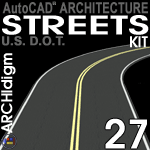
This Kit comes straight from our own project needs and is a concoction of every Object Style we could employ to create Roads, Curbs, Sidewalks, Driveways, Accessible Ramps, Signs, Striping and more.  The purpose of this kit is to give architects and designers "quick-n-dirty" tools to put their building designs in a believable street environment.  This Kit is for flat terrain only.
  • Imperial Units Only - Based on U.S. Department of Transportation guidelines
  • This kit is entirely Tool Palette driven so all you have to do it pick on a tool icon.
  • All Streets have adjustable lane widths and are based on Wall Styles.
  • 14 common Regulatory Signs and 4 Speed Limit (R2-1) Signs.
  • Traffic light signal devices, pedestrian call button and crosswalk signal.
  • Parking Stall tools with Callouts and Schedules (Standard, ADA and ADA Van).
  • 11 3D Surface Modeled Trees as MvBlocks with Blocks in three categories: trunk, branches and canopy.
  • 1 year of access to our OSMOSIS website for free updates.
  • Compatible with Architectural Desktop 2007/2009 Only

US$60.00
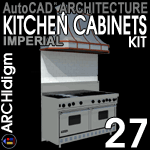
Kitchen Cabinets eKit
Read Before Purchase
On Sale Now - Kitchen Cabinets 7 eKit for Architectural Desktop 2007/2009
This is the fourth release of our most popular product (the number "7" is for the year 2007).  This release represents a complete overhaul of all previous content which has now been converted to native ADT Objects (no Surface Models) allowing you to apply whatever Materials you want. This Kit was designed for Autodesk® Architectural Desktop 2007.  Kitchen Cabinets 6 eKit for Architectural Desktop 2004 - 2006 is included with this purchase.
  • Imperial Units Only - Residential Objects
  • Numerous adjustable Lower and Upper Cabinet Styles
  • Sinks that subtract holes in countertops for a more realistic look in presentation images.
  • This kit is entirely Tool Palette driven so all you have to do it pick on a tool icon.
  • Numerous custom high-quality Multi-View Blocks of appliances.
  • Every Refrigerator Model offered by Sub-Zero
  • Expanded library of Ranges, Rangetops, Cooktops, Ovens and Hoods.
  • 1 year of access to our OSMOSIS website for free updates.
  • Compatible with Architectural Desktop 2007/2009 Only


See Kitchen Cabinets 7 Kit
to Purchase
Read Before Purchase
Included with Kitchen Cabinets 7 eKit - Kitchen Cabinets 6 eKit for Architectural Desktop 2006
This is the third release of our most popular product (the number "6" is for the year 2006) and is primarily a consolidation of all the items subscribers have been downloading for the last year.  This Kit was designed for Autodesk® Architectural Desktop 2006.  Kitchen Cabinets 4 eKit for Architectural Desktop 2004 - 2005 is included with this purchase.
  • Imperial Units Only - Residential Objects
  • Numerous adjustable Lower and Upper Cabinet Styles
  • Sinks that subtract holes in countertops for a more realistic look in presentation images.
  • This kit is entirely Tool Palette driven so all you have to do it pick on a tool icon.
  • Numerous custom high-quality Multi-View Blocks of appliances.
  • Every Refrigerator Model offered by Sub-Zero
  • 1 year of access to our OSMOSIS website for free updates.
  • Compatible with Architectural Desktop 2006

US$50.00
Bathroom Cabinets eKit
Read Before Purchase
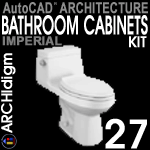
On Sale Now - Bathroom Cabinets 7 eKit for Architectural Desktop 2007/2009
Spawned from our popular Kitchen Cabinets eKit comes Bathroom Cabinets with bathtubs, showers, faucets, sinks and more created entirely with native ADT Objects (no Surface Models) allowing you to apply whatever Materials you want.  This Kit was designed for Autodesk® Architectural Desktop 2007.  Bathroom Cabinets 6 eKit for Architectural Desktop 2006 is included with this purchase.
  • Imperial Units Only - Residential Objects
  • Numerous adjustable Lower and Upper Cabinet Styles
  • Sinks that subtract holes in countertops for a more realistic look in presentation images.
  • This kit is entirely Tool Palette driven so all you have to do it pick on a tool icon.
  • Numerous custom high-quality Multi-View Blocks of fixtures.
  • 14 preconfigured drop-in showers and tools to create your own designs.
  • 1 year of access to our OSMOSIS website for free updates.
  • Compatible with Architectural Desktop 2007/2009 Only


See Bathroom Cabinets 7 Kit
to Purchase

Read Before Purchase
Included with Bathroom Cabinets 7 eKit- Bathroom Cabinets 6 eKit for Architectural Desktop 2006
Spawned from our popular Kitchen Cabinets eKit comes Bathroom Cabinets with bathtubs, showers, faucets, sinks and more created entirely with native ADT Objects (no Surface Models) allowing you to apply whatever Materials you want.  This Kit was designed for Autodesk® Architectural Desktop 2006.
  • Imperial Units Only - Residential Objects - ADT 2006 Only
  • Numerous adjustable Lower and Upper Cabinet Styles
  • Sinks that subtract holes in countertops for a more realistic look in presentation images.
  • This kit is entirely Tool Palette driven so all you have to do it pick on a tool icon.
  • Numerous custom high-quality Multi-View Blocks of fixtures.
  • 14 preconfigured drop-in showers and tools to create your own designs.
  • 1 year of access to our OSMOSIS website for free updates.
  • Compatible with Architectural Desktop 2006 Only

US$40.00
Fences eKit
Read Before Purchase
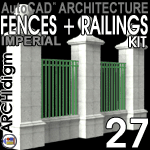
On Sale Now - Fences 7 eKit for Architectural Desktop 2007/2009
This is the third release of our fence product (the number "7" is for the year 2007). This release represents an expansion of the styles and tools found in Fences 5; including numerous metal and wood gates.  New to Fences 7 are precast walls, railings and base columns.  This Kit was designed for Autodesk® Architectural Desktop 2007.  Fences 5 eKit for Architectural Desktop 2004 - 2006 is included with this purchase.
  • Imperial Units Only
  • Fences display as the "DashDot" Linetype in Plan View under the Low and Medium Detail default Display Configurations but with normal linework under the High Detail Display Configuration.
  • Numerous Fence Types: Chain Link, Picket, Palisade, Post and Board, Post and Rail, etc. - see overview for the full list.
  • Numerous Gate Type:  Chain Link, Steel, Wood and combinations in single and double swing.
  • This kit is entirely Tool Palette driven so all you have to do it pick on a tool icon.
  • 1 year of access to our OSMOSIS website for free updates.
  • Compatible with Architectural Desktop 2007/2009 Only

See Fences 7 Kit
to Purchase

Read Before Purchase
Included with Fences 7 eKit - Fences 5 eKit for Architectural Desktop 2004 - 2006
This Kit comes straight from our own project needs and is basically a suite of Railing Styles that have been designed for Plan, Elevation and 3D Rendering purposes.  Because many users purchased the previous release just to get our Chain Link Fence Style, we have expanded this popular Style with numerous varieties including some that have barb wire.  This kit has grown into a full fledged suite that now includes a one year access account to our OSMOSIS Learning Center where you can download this kit, the last release, read our new User Guide and check for updates.  This Kit was designed for Autodesk® Architectural Desktop 2005 but is fully compatible with Autodesk® Architectural Desktop 2006.
  • Imperial Units Only
  • Fences display as the "DashDot" Linetype in Plan View under the Low and Medium Detail default Display Configurations but with normal linework under the High Detail Display Configuration.
  • Numerous Fence Types: Chain Link, Picket, Palisade, Post and Board, Post and Rail, etc. - see overview for the full list.
  • This kit is entirely Tool Palette driven so all you have to do it pick on a tool icon.
  • 1 year of access to our OSMOSIS website for free updates.
  • Compatible with Architectural Desktop 2004, 2005 and 2006
BUNDLES

US$95.00
2 eKit Bundle - Kitchen Cabinets and Bathroom Cabinets
A $15.00 savings
2 eKit Bundle
On Sale Now - BC and KC eKit Bundle:
This 2 eKit bundle includes the latest release of our Bathroom Cabinets 7 eKit and Kitchen Cabinets 7 eKit.

The regular subscription fee for both eKits amounts to US$110.00 but with this discounted bundle, you save $15.00.  In addition, because we include a year of access to our OSMOSIS website, you will receive all updates to any of these two eKits for a full year from date of purchase.


US$120.00
3 eKit Bundle - Fences, Kitchen Cabinets and Bathroom Cabinets
A $30.00 savings
3 eKit Bundle
On Sale Now  (Back by Popular Demand) - BC, KC and Fences eKit Bundle
This 3 eKit bundle includes the latest release of our Bathroom Cabinets 7 eKit, Kitchen Cabinets 7 eKit and Fences 7 eKit.

The regular fee for all three eKits amounts to US$150.00 but with this discounted bundle, you save $30.00.  In addition, because we include a year of access to our OSMOSIS website, you will receive all updates to any of these four eKits for a full year from date of purchase.

US$160.00
4 eKit Bundle - Streets, Fences, Kitchen Cabinets and Bathroom Cabinets
A $30.00 savings

4 eKit Bundle

On Sale Now - Fences, Streets, BC and KC eKit Bundle:
This 4 eKit bundle includes the latest release of our Fences 7 eKit, Streets 7, eKit, Bathroom Cabinets 7 eKit and Kitchen Cabinets 7 eKit.

The regular fee for all three eKits amounts to US$190.00 but with this discounted bundle, you save $30.00.  In addition, because we include a year of access to our OSMOSIS website, you will receive all updates to any of these four eKits for a full year from date of purchase.


GUIDES

Volume 2, 4th Edition
Discontinued - Architectural Desktop 5 Development eGuide:
Current subscribers to our Architectural Desktop 4 Development eGuide now have access to the 4th edition of this guide.  To access this guide, purchase the Architectural Desktop 4 Development eGuide and receive access to both eGuides at no additional cost.  Though we have completed the updates for the ADT 4 Development eGuide, we have decided to keep the low "Special Price" for customers who are actually seeking information for Architectural Desktop 2005.  As you may know, the two releases are very similar and thus the material for ADT 2004 applies directly to ADT 2005.  This Guide applies to Autodesk® Architectural Desktop 2004 and 2005.
  • Volume 2 in our Architectural Desktop 5 series.
  • Chapters Now Completed:  Part 2 - Layer Management, Part 11 - Spaces, Part 17 - Documentation, Part 19 - Aec Dimensions, Part 20 - Areas, Part 21 - Area Groups, Part 23 - Anchors and Part 25 - AEC Blocks and Profiles.
  • Chapters Coming: A supplement on the Project Navigator.
  • Updates have now stopped.
eguide-adt_4_development.gif (6164 bytes)
Discontinued
Volume 2, 3rd Edition
Overview
Discontinued - Architectural Desktop 4 Development eGuide:
The 3rd edition of our most popular Architectural Desktop guides is now being offered at a special low introductory price.  Don't miss this opportunity to get your full year of access at price that will soon increase to $50.00/yr.  We're offering it at this introductory price because several chapters still need to be updated but we've updated the most important ones and it has taken nearly a year to make the changes we did.  We are pleased to announce that due to subscriber requests this eGuide is now available in both .html and .pdf allowing just-in-time printing on 8.5x11 paper.   This Guide applies to Autodesk® Architectural Desktop 2004.
  • Volume 2 in our Architectural Desktop 4 series.
  • Chapters Now Completed:  Part 1 - AEC Display - Setup, Part 3 - Walls, Part 4 - Wall Tools, Part 5 - Curtain Walls, Part 6 - Openings, Part 7 - Stairs and Railings, Part 8 - Roofs and Roof Slabs, Part 9 - Roof Slab Tools, Part 10 - Slabs and Slab Tools, Part 12 - Grids, Part 13 - Structural Members, Part 14 - Elevations, Part 15 - Sections, Part 16 - Design Content, Part 18 - Schedules, Part 20 - Areas,  Part 22 - Layout Tools, Part 23 - Anchors, Part 24 - Aec Polygons, Part 25 - Aec Blocks and Profiles and Part 26 - Utilities.
  • Chapters Coming:  updates to this guide have now stopped.  New information will be posted to the ADT 5 Development eGuide; available at no extra charge to ADT 4 Development eGuide subscribers.

See Kitchen Cabinets 7 Kit
to Purchase

Read Before Purchase
Included with Kitchen Cabinets 7 eKit - Kitchen Cabinets 4 eKit for Architectural Desktop 2004 - 2006
This Kit was originally developed in our office for our use only but after the popularity of our article on "Liquid Cabinets", it has grown into a full fledged suite that now includes a one year access account to our OSMOSIS Learning Center where you can download this kit, the last release, read our new User Guide and check for updates.  This Kit was designed for Autodesk® Architectural Desktop 2004 but is fully compatible with Autodesk® Architectural Desktop 2005 and 2006.
  • Imperial Units - Residential Objects
  • Numerous adjustable Lower and Upper Cabinet Styles
  • Sinks that subtract holes in countertops for a more realistic look in presentation images.
  • This kit is entirely Tool Palette driven so all you have to do it pick on a tool icon.
  • Numerous custom high-quality Multi-View Blocks of appliances.
  • 1 year of access to our OSMOSIS Learning Center.
  • Compatible with Architectural Desktop 2004, 2005 and 2006

See Kitchen Cabinets 7 Kit
to Purchase

Read Before Purchase
Updated - Architectural Desktop Kitchen Cabinets eKit
This Kit comes from our article on "Liquid Cabinets" and is basically a suite of unique Wall Styles and Multi-View Blocks that have all been designed for two primary architectural needs: Plan View based Construction Documents and rapid 3D Presentations.  This Kit comes with a Rendering Template File containing default materials so you can create a presentation image for your clients simply by hitting the Render button.    This Kit works in Autodesk® Architectural Desktop 3.0 - 3.3.  To Buy, Access and Download this Kit, purchase the Architectural Desktop 4 Kitchen Cabinets Kit and get both Kits for one price.
  • Numerous and adjustable Lower and Upper Cabinet Styles
  • Sinks will now create holes in the counter tops so they look more realistic.
  • The Majority of this Kit is DesignCenter driven so you can drag-n-drop at ease.
  • Numerous custom high-quality Multi-View Blocks.
  • Imperial Units Only - Sorry, Metric Users

See Fences 7 Kit
to Purchase

Read Before Purchase
Updated - Architectural Desktop Fences Kit
This Kit comes straight from our own project needs and is basically a suite of Railing Styles that have been designed for two primary architectural needs: Plan and Elevation View based Construction Documents and Rapid 3D Presentations   This Kit comes with a Rendering Template File containing default materials so you can create a presentation image for your clients  simply by hitting the Render button.    This Kit works in Autodesk® Architectural Desktop 3.0 - 3.3.  To Buy, Access and Download this Kit, purchase the Architectural Desktop 5 Fences Kit and get both Kits for one price.
  • Fences display as Linetypes in Plan View rather than detailed posts, boards and ornaments.
  • Chain Link, Combination, Glass Panel, Iron Ornamental Security, Masonry, Palisade, Picket, Post and Board, Post and Rail, Reinforced Concrete, Timber Pole and more.
  • Adjustable Components
  • Imperial Units Only - Sorry, Metric Users
   
eguide-adt_3_pre-design.gif (9104 bytes)

Discontinued

Volume 1

Discontinued - Architectural Desktop 3 Pre-Design eGuide:
The continuation of our subscription based material went on sale 06/30/01. Our Guide for training clients and students on how to use Architectural Desktop's 3D Massing tools in the Pre-Design Phase of a building.  This Guide stops at the point where Space Planning turns into Walls; i.e., where Development begins.  This Guide is not for AutoCAD beginners; you should know AutoCAD fundaments.  This Guide applies to Autodesk® Architectural Desktop 3.0 - 3.3.
  • Volume 1 in our Architectural Desktop 3 series.
  • Mass Elements, Mass Groups, Slices, Spaces, Space Boundaries and Converting to Phase 2 in the project Development cycle: The Pre-Design Guide leaves off where the Development Guide begins: working on the actual building with Walls, Doors, schedules, etc.
  • Object hierarchy, Boolean operators, grouping and profiling.
  • Plus, Solid Modeling solutions and how to convert to ADT facet models.
  • Includes numerous screen captures - annotated and in color.
  • Learn how take pictures in ADT and how to make .avi fly-throughs/fly-arounds.
  • Includes writing on: Object Viewer, Explode AEC Objects, Layout Volumes and more.
  • Recently Added - new information on Space Tags and Space Inventory Schedules.
eguide-adt_3_development.gif (12676 bytes)

Discontinued
 

Volume 2

Discontinued - Architectural Desktop 3 Development eGuide:
The continuation of our subscription based material went on sale 04/30/01. Our Guide for training clients and students on how to use Architectural Desktop's Development tools to take a building from Pre-Design (Massing) to Construction Documents.  This Guide is not for AutoCAD beginners; you should know AutoCAD fundamentals. This Guide applies to Autodesk® Architectural Desktop 3.0 - 3.3.
  • Volume 2 in our Architectural Desktop 3 series.
  • Includes screen captures for every major subject - annotated and in color ( now too many to count) and run by the same toolbuttons you want to learn about.
  • An entire chapter on Object Display Properties alone with diagrams mapping out all of the important dialogue boxes that control how object display works.
  • Numerous working tips and explanations of limitations and features that are not available yet.
  • Only $50.00 for a full one-year subscription.
  • This Guide does not include the Concept menu topics - see Pre-Design Guide.
  • Current topics covered in great detail: AEC Setup and Display tools, Layer Management tools, Walls, Wall tools, Curtain Walls, Doors, Windows, Openings and Window Assemblies, Stairs and Railings, Roof and Roof Slabs, Roof Slab tools, Floor Slabs, Grids, Structural Members, Layout tools, Anchors, Spaces, Documentation Content, Schedules, AEC Dimensions, AEC Blocks - Profiles, Utilities, Areas, Area Groups and AEC Polygons.
  • At 458 pages on 8.5x11 this guide should get your attention and if that's not enough, you can start reading up on the Architectural Desktop 2004 material which is included with this subscription.
eguide-adt_3_presentation.gif (9511 bytes)

Retired / Free

Volume 3
View It

Now Free - Architectural Desktop 3 Presentation eGuide:
This long awaited and subscriber requested Guide has now been written with all of the information we have on Rendering in Architectural Desktop.   AutoCAD 2000 and 2002 users will also find this Guide useful in learning about creating perspectives, adding lights, shadows, materials, trees, people, backgrounds, fog, working with Xref'd Model files, Image References, Raster Printing and much more.  This Guide applies to AutoCAD® 2000 - 2002 and Autodesk® Architectural Desktop 3.0 - 3.3
  • Volume 3 in our Architectural Desktop 3 series.
  • Includes screen captures for every major subject - annotated, in color and run by the same toolbuttons you want to learn about.
  • Broken up into 5 major categories: Display, Render, Composition, Pre-Render and Post-Render.
  • Current topics covered in great detail: Views, Shademodes, 3D Orbit tools, Perspectives, Render, Lights, Materials, Mapping, Landscape Objects, Fog, Backgrounds, Scenes, Xrefs, Image Refs, Draw Order and chapters covering how to create your own materials AutoCAD, Architectural Desktop and Photoshop, how to configure for Raster Printing, how to build an ADT Rendering Template File for near instant results and much more.
  • How to Link Architectural Desktop Models with Viz 4's File Link Manager.
  • Recently Added - Part 14 on plotting with hidden line removal, resolution control with Photoshop, FTP software and ACDsee for slide shows.
eguide-adt_3_deployment.gif (3238 bytes)
US$75.00/Year

Volume 4
See a Preview
Discontinued - Architectural Desktop 3 Deployment eGuide:
The fourth guide in our continuing series written for CAD and IT Managers in charge of  installing, configuring, and managing a networked base of AutoCAD® 2002 and/or Architectural Desktop 3 - 3.3.  This guide has been written for small to medium sized offices running stand-alone licensed software and does not cover AdLM and network licensed software topics.   See list of topics below for overview of information discussed in this guide.   This Guide applies to AutoCAD® 2000 - 2002 and Autodesk® Architectural Desktop 3.0 - 3.3
  • Volume 4 in our Architectural Desktop 3 series.
  • Includes screen captures for every major subject - annotated and in color.
  • Topics: Installation options, Options dialog - Search Paths, Options dialog - AutoCAD Settings, Options dialog - Architectural Desktop Settings, Options dialog - Profiles and Desktop Icons, Printer/Plotter Configurations, Basic Template files, Advanced Template file concepts and downloadable example files.
  • Bonus chapter covers a detailed explanation of how to create a custom pull-down menu for automating titleblock insertion and sheet layouts.   Included with this chapter are all the files necessary to replicate this customization for your office.
  • Recently Added - new information has been added on navigating with the DesignCenter using buttons and LISP code - Appendix, Section 4.
eguide-autocad_2k2_update.gif (7216 bytes)

Current Subscribers

Limited - AutoCAD® 2000-2002 Update eGuide:
Our eGuide for training clients and students on the major new features of AutoCAD 2000 - 2002.  This eGuide was written with the Architectural Desktop user in mind and has numerous references for these users as well as AutoCAD users.  Two full chapters ( ours tend to be long ) have been dedicated to the topic of plotting and printing.  This guide is currently going through complete rewrite and formatting to match our acclaimed ADT guides with full toolbar navigation, large screen shots and much more. This eGuide applies to AutoCAD® 2000 - 2002 and Autodesk® Architectural Desktop 3.0 - 3.3
  • Includes step-by-step screen captures of how to create layouts, configure plotters, create color tables and create unique viewports.
  • Also covers Properties, DesignCenter, Refedit, Dimensioning and much more.
  • Plus, we update this guide with new information, hints and working tips on a quarterly basis.
  • includes tips on how to make plotting and printing reductions painless, quick and correct every time.
eguide-autocad_coloring.gif (6695 bytes)
Current Subscribers
Limited- AutoCAD® Coloring eGuide:
This eGuide is a derivative of a commissioned guide and instruction manual we wrote for a major architectural firm that wanted the most out of plain vanilla AutoCAD ( not add-ons or custom code ).  By using Named Style Tables, True Colors, Trace, Plines, Bhatch with Solid and a combination of Blocks and Xref's fairly good color presentation work is achievable in AutoCAD and all of these techniques are carefully outlined and presented in step-by-step format. 
  • Includes step-by-step screen captures of how to organize an example set of elevations for coloring work, coloring them and preparing them for plotting.
  • Topics include Draw Order, Named Plot Styles, Template files, Profiles, Layer and Block Naming conventions and more.