 FURNITURE
27.0 ePARTS
for
AutoCAD Architecture
2019 and up
FURNITURE
27.0 ePARTS
for
AutoCAD Architecture
2019 and upIMPERIAL UNITS - RESIDENTIAL & COMMERCIAL OBJECTS
PRODUCT OVERVIEW
Contents:
Greetings
---- Product
Features ---- Purchase
| ..... |
FURNITURE
27.0 ePARTS
for
AutoCAD Architecture
2019 and up IMPERIAL UNITS - RESIDENTIAL & COMMERCIAL OBJECTS PRODUCT OVERVIEW Contents: |
| 1Greetings | .1-1 FURNITURE 27 ePARTS OVERVIEW | |||||||
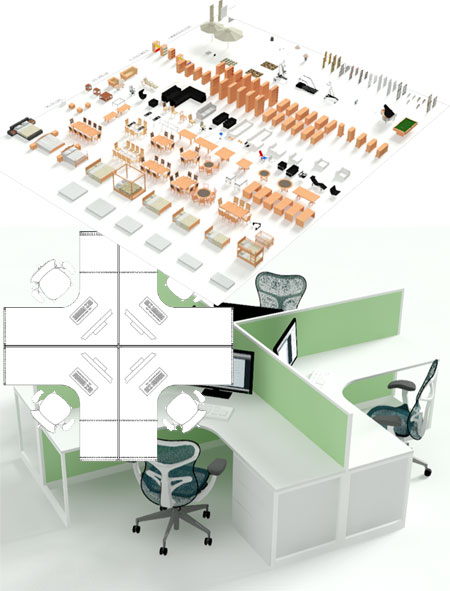
| Introduction Thank you for your interest in the FURNITURE 27 eParts product by ARCHIdigm. Before you decide to purchase this product we would like to inform you about what you get and how it works so you don't end up buying something you don't want. This kit is not a software product and it does not do anything on its own.. It is a library of Object Styles and MvBlocks designed exclusively for Autodesk®'s AutoCAD Architecture 2019 and up CAD program. This product was designed to update, improve and expand upon the stock furniture content that comes with AutoCAD Architecture. It has evolved to include solutions for Bars, Restaurants and Office Cubicles. All content has Material assignments for high quality rendering work. The majority of Objects in this product are based on Mass Elements but we have also added many Objects that are based on Curtain Walls to allow for individualized control. All of the new G3 Cabinets, for example, can be Stretched and/or Height Adjusted to fit your design needs. WHAT'S NEW: Layer Properties and Layer Keys have been tied to our new Layer Standards files. New Mid-century Nightstand has been added. New King Size bed has been added. New parametric Bookcase has been added New Ottomans have been added. A New Sectional Couch and components have been added. A whole suite of commercial conference tables and chairs has been added. A whole suite of public seating solutions has been added. A whole suite of reception counter design solutions has been added. Two industrial parametric shelving solutions have been added. An industrial tool cart has been added. A new Bird of Paradise house plant has been added. |
|
|||||||
| 2Product Features | 2-1 FURNITURE 27 ePARTS OVERVIEW | |||||||
| The Content
Layout
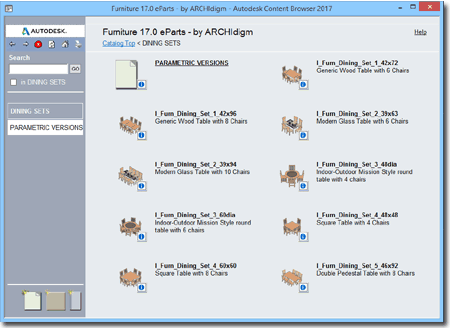
Below is a list of the MvBlocks and Object Styles that you will find in this kit.
|
 |
|||||||
|
The Levels of Detail
All ePart Objects have been optimized for work
using the AutoCAD Architecture 2017 (and up) "Aec model
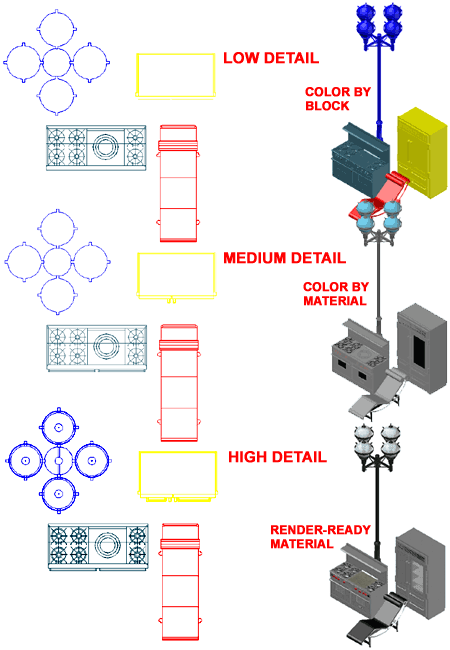
Illustrated to the right is an example of how the three primary Display Representations, Low, Medium and High Detail, affect ePart Objects. Most ePart Objects include an AecPolygon Style set to Mask background information. This mask can be turned off if desired.
Low Detail
Medium Detail
High Detail
|
|
|||||||
| Content in this Package:
(see Example Palette)
Furniture
(Single - MvBlocks) |
Furniture (Adjustable - Curtain Wall Styles)
Cabinetry G3 (Adjustable - Curtain Wall Styles)
Television/Flat Panel Displays |
Bars + Restaurants Suite
(Single - MvBlocks)
Bars + Restaurants Suite
(Adjustable - Wall Styles) Cubicles Suite (Adjustable - Curtain Wall Styles)I_Furn_Base_Cab_X_3_Drawers_Equal Sports Industrial Tableware Plants |
||||||
| 3Purchase | 3-1 FURNITURE 27 ePARTS OVERVIEW | |||||||
Buy,
Download, Install and Use
User Guide, included with each product, explains how to install and add Content Catalogs in AutoCAD Architecture. |
CAD
and IT Managers: Some offices have highly customized template files with unique Display Representations, Sets and Configurations that may not work with our kit. We designed this kit for optimum performance using the default template files that come with ACA but all that means is that we utilized the High, Medium, Low and Presentation Display Configurations. The Object Style files are devoid of undesirable Layers, Colors and Plot Styles. Installation Structure: |
|||||||
© Copyright 2026 ARCHIdigm. All rights reserved.
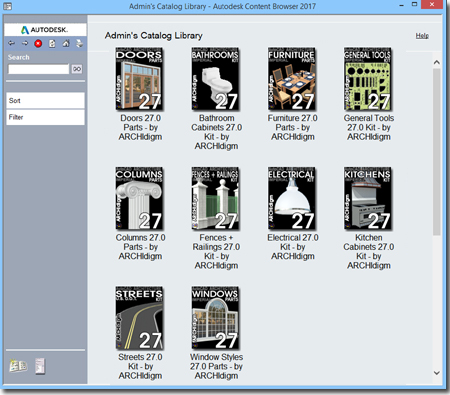 This
product has been designed to work entirely within AutoCAD Architecture's
Content Browser. Each product comes as a Catalog within which you
will find Tool Palettes and Tool Catalogs organizing the various
components found within the product.
This
product has been designed to work entirely within AutoCAD Architecture's
Content Browser. Each product comes as a Catalog within which you
will find Tool Palettes and Tool Catalogs organizing the various
components found within the product.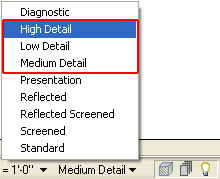 (imperal
- ctb).dwt" and "Aec model (imperal - stb).dwt" default template
files.
(imperal
- ctb).dwt" and "Aec model (imperal - stb).dwt" default template
files.