 This is the 4th eGuide produced by ARCHIdigm for Autodesk
Architectural Desktop 3 - 3.3 Users. We are proud to announce that this eGuide will
be released for subscription on January 1, 2003.
This is the 4th eGuide produced by ARCHIdigm for Autodesk
Architectural Desktop 3 - 3.3 Users. We are proud to announce that this eGuide will
be released for subscription on January 1, 2003.
As with our other unique web based eGuides, the Architectural Desktop 3 Deployment eGuide can be purchased on-line allowing you access within minutes. Once you subscribe, the eGuide is yours to download and read off-line, print or otherwise organize for your personal use. The subscription plan does not force you to only read while on-line, it simply gives you the ability to access your material from anywhere at anytime you have a minimum 28.8k connection and an internet Browser like Internet Explorer. It also allows us to continue contributing more material during the course of your subscription period.
Our material was designed for browser viewing at 1024x768 resolution or greater and utilizes hyperlinks as a means of navigation. All toolbar buttons are active everywhere in our material. Cross-linked references are placed throughout the material so you can quickly refer back and forth between various cells of information.
This eGuide now joins our family of Architectural Desktop eGuides as the 4th Volume in what we feel is the most compressive writing available on this product.
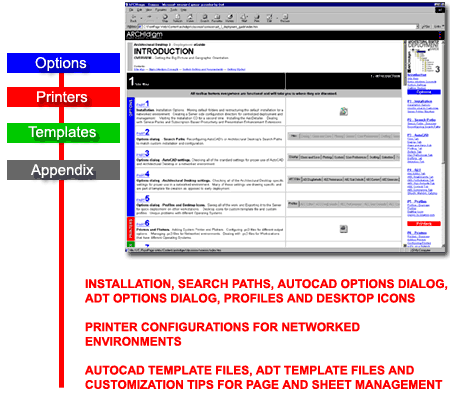
The Architectural Desktop 3 Deployment eGuide was written for the AutoCAD and Architectural Desktop CAD/IT Manager responsible for installation, configuration and management of these programs and their files.
Because of our extensive on-site experience working with IT staff, we are well aware of the problems managers experience installing software that they don't actually use so we have written this eGuide with that in mind. As with all of our other eGuides, we have a huge number of graphic illustrations and screen captures to assist in more expedient comprehension of the topic matter.
The primary focus of this eGuide is on the folder structure CAD and IT managers can create to make these products more Network friendly from a managerial perspective.
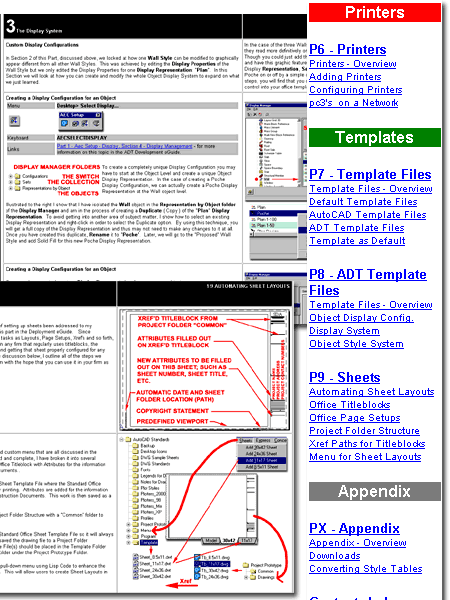
If you have already attempted to deploy AutoCAD or Architectural Desktop in your Networked environment, you may have discovered problems getting printing to work across different Operating Systems. Such topics are discussed with great detail and examples in this eGuide.
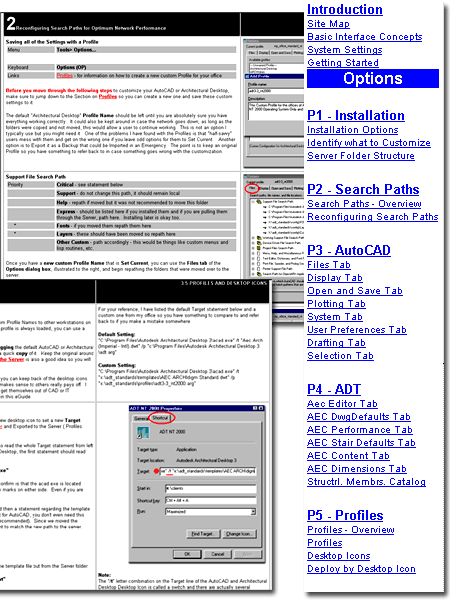
Along with a good installation and deployment strategy, CAD and IT Managers will need to consider how users tackle their startup procedure when creating new projects and new sheets.
In this eGuide we discuss the basics of Template Files both for AutoCAD and Architectural Desktop with comments on all sorts of drawing settings ranging from Units to Mirrtext.
For Architectural Desktop installations, we take the topic of template files further by explaining how the object library system functions, how the display system affects output and how to create custom results that meet the specific needs of your office.
And finally, we included a bonus write-up that should prove to may you the CAD/ IT star in your office: how to build an automated Sheet System so users can simply Add fully configured Page Setups from a pull-down menu. With this write-up we included a fully functional menu, lisp code and high-quality titleblocks with attributes.
If you are a CAD or IT Manager in charge of installing Architectural Desktop 3 - 3.3, we highly recommend that you also get our Architectural Desktop 3 Development eGuide for more expansive information on configuration topics.